
Make content
Statuses
Poison, stun, ward, frenzy: effects that stack on a fighter. The library has 27 ready-made ones, each with its own 12x12 icon.
Hub › StatusesA status is an asset like an item: a name, a colour, an icon, whether it's a buff or a debuff, and abilities that run for whoever has it. Its numbers usually scale with the number of stacks: Turn start: take 1 poison damage per stack, then lose 1 stack.
Items and enemies give statuses with the Status › Apply Status effect, and check them with the Status › Has Status condition.
The library
Hub › Statuses lists the 27 ready-made statuses. Add puts one in your database, in its own folder with its icon and colour variants. Add all adds a whole group.
Damage over time
Poison Bleed
Bleed Burn
Burn Plague
 Acid
Acid Curse
CurseControl
 Stun
Stun Freeze
 Weak
Weak Vulnerable
 Blind
Blind Chill
ChillDefense
 Thorns
 Barrier
 Fortify
 Ward
Ward Evasion
 Undying
Offense
 Strength
 Focus
Focus Frenzy
 Empower
 Haste
HasteRecovery
 Regen
Regen Renew
Renew Vampiric
 Blessed
A few do something special: Ward is a health gate (no single hit above 5), Focus makes the next strike a critical hit, Frenzy adds extra strikes each turn, Evasion dodges the next strike, and Undying survives a killing blow at 1 health, one stack per save.
Your own statuses
Create › AutoBattleKit › Status makes a blank one. If its id matches a library status it gets that icon; otherwise it gets an orb in its colour. Paint over the PNG in its folder to make it yours.
Name it and set its id
The Id is what Apply Status and Has Status use (
"doom"). Pick a colour and whether it's a Buff or a Debuff.Give it abilities
Turn end: take 3 damage per stack is Trigger Turn end, Damage › Deal Damage to yourself with amount Per stack 3.
Decide when it wears off
Add Status › Remove Status on yourself with amount 1 to lose a stack each time, or leave it out to keep it all battle.
Cap it (optional)
Max Stacks stops a status growing: with 5, a fighter never holds more than 5 Evasion. Gains past the cap are ignored and don't count as Status gained. Leave it at 0 for no cap.
To check that a fighter does not have a status, put Has Status inside Logic › Not: "if you have no Grace".
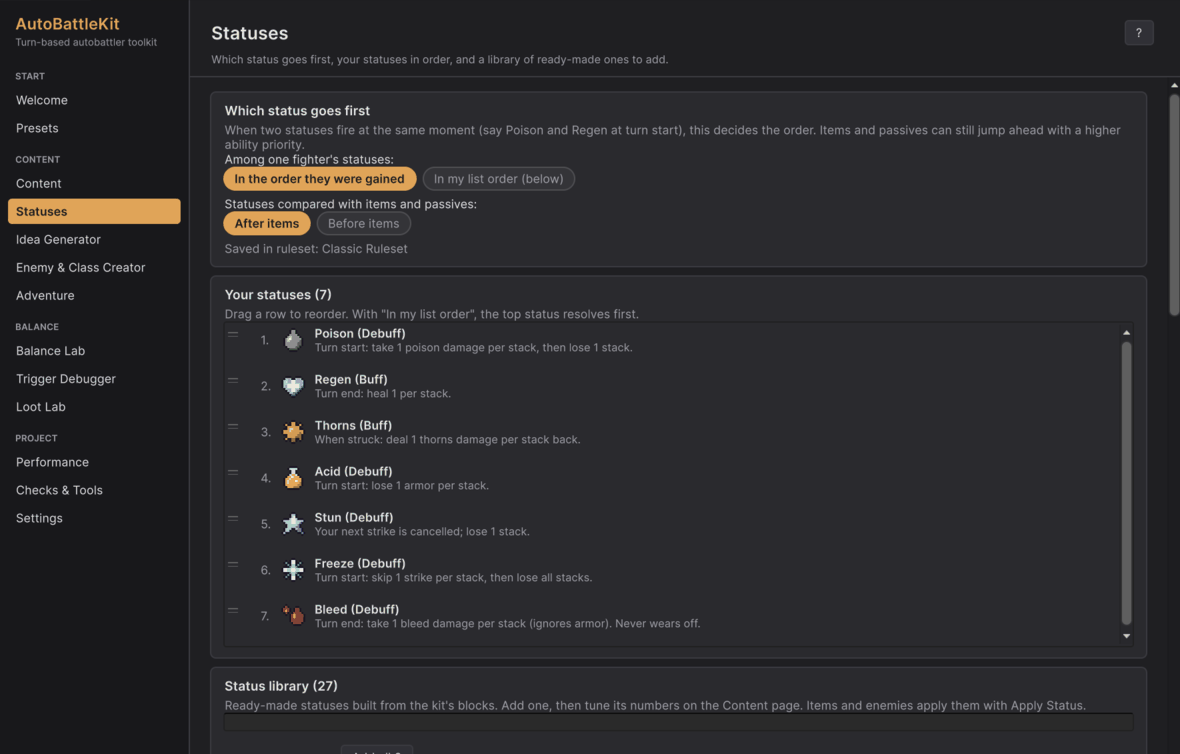
Which status goes first
When two statuses fire at the same moment (Poison and Regen at turn start), the top of the Statuses page decides:
- In the order they were gained, or in my list order (drag rows to reorder).
- After items (default) or before items.
Both are saved in your Ruleset.
Good to knowSimple rulesets can hide the Status blocks. When yours does, the Statuses page shows a Show status blocks button so items and enemies can use Apply Status.
In code, StatusLibrary.Table("poison", "ward", "focus") returns runtime statuses for content built in C#.